Started Updated
GitArt
Draw words and pixel art on your GitHub contribution graph.
- HTML
- CSS
- JavaScript
- Git
- Cloudflare Pages
It started with my own graph
Git lets you set the date of a commit to whatever you want. Once I knew that, I couldn’t resist. I made a repository, wrote a pile of backdated commits by hand, and drew emojis and text on my own GitHub contribution graph.
A few friends saw it and asked me how I did it. I told them the trick: change the git commit dates. The next question was always the same: “okay, but how do I make it draw that?”
Explaining how to work out which date lands on which square, one commit at a time, is not fun. So I built a website for it, something I could just send them.
Keeping it simple
I wanted GitArt to be simple, so I kept it to plain HTML, CSS and JavaScript. There’s no framework and no build step, and it’s hosted as static files on Cloudflare Pages.
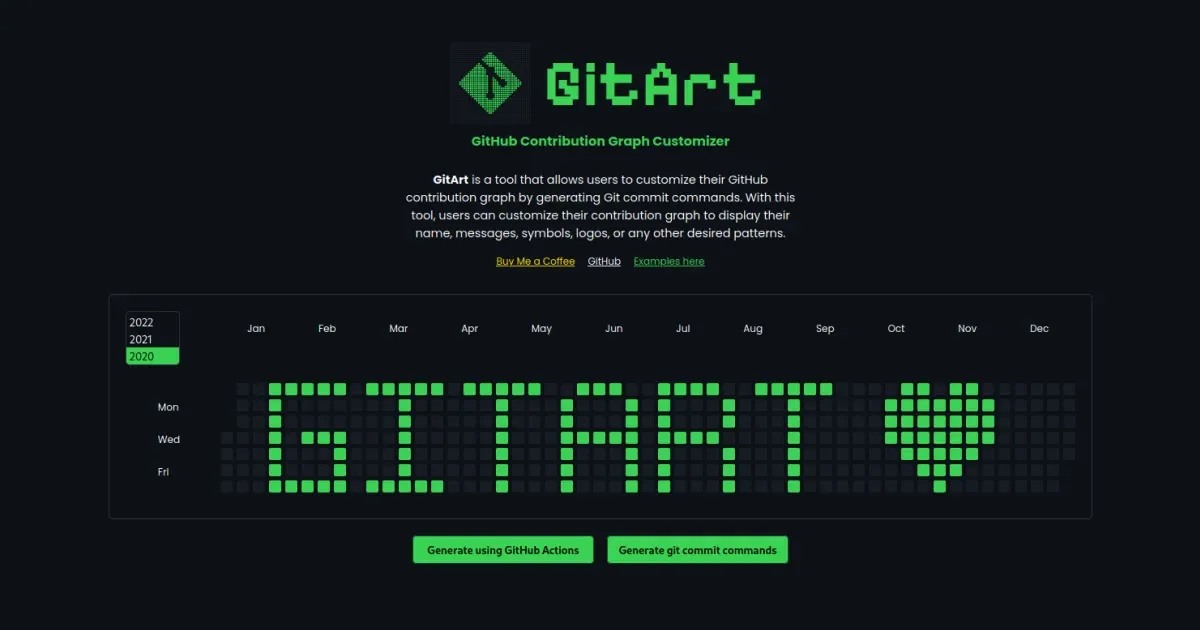
The first version did one thing:
- Pick a year.
- Left click a day on the graph to turn it green, and keep clicking to make it darker. Right click makes it lighter again.
- Press Generate and get the git commands.
The cover at the top of this page is that first version, with GitArt and a heart drawn on the graph.
The logo
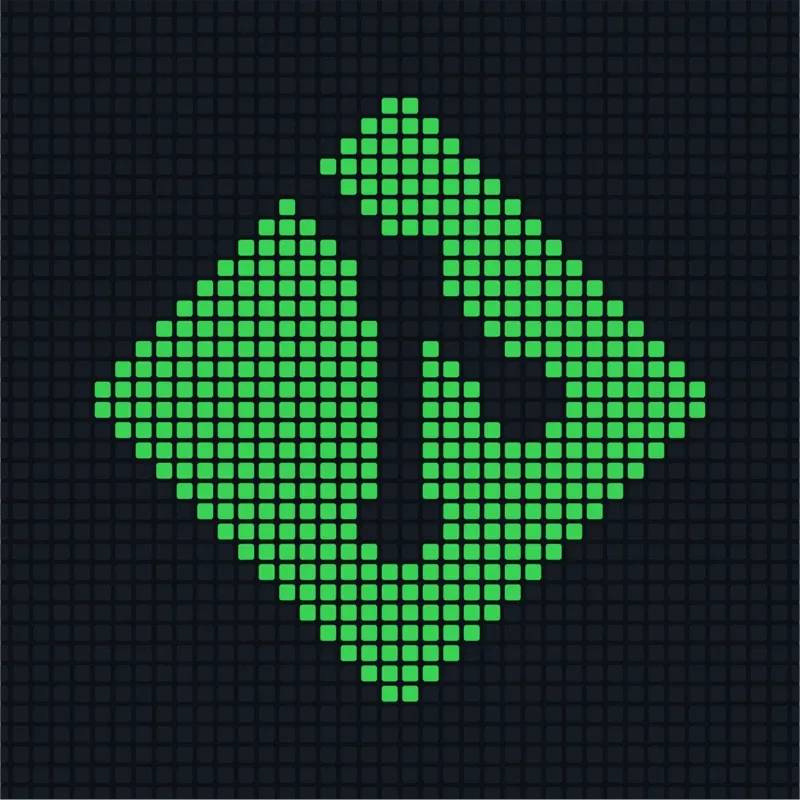
A week later I gave it a logo. I like playing around in Figma now and then, so I made it there myself, placing the squares one at a time: the git logo, rebuilt out of contribution graph squares, as if it had been drawn on a GitHub graph itself.
How it works
Every square on the contribution graph is a day, and its shade is how many commits you made that day. So GitArt turns every square you paint into that many empty commits on that date:
git commit --allow-empty --date="Jan 5, 2020" --allow-empty-message -m ""You create a new repository, paste the commands (or download them as a shell script), and push. GitHub counts the commits and your drawing shows up on your profile.
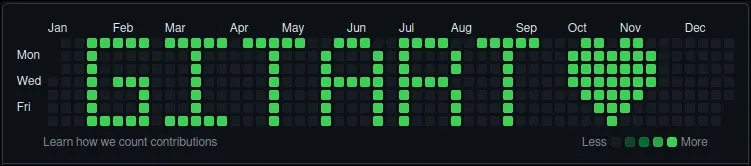
It works best on a year before you joined GitHub, where the graph is empty, so GitArt can look up your join date for you.
A detour through GitHub Actions
In May 2024 I tried to make it a one-click thing. A small Express API, gitart-api, took your details and started a GitHub Actions workflow. The workflow created the repository, ran the commits and pushed them for you.
It worked, but you had to hand a GitHub token to a form, and the copy-paste route was simpler anyway. I hid it in 2025 and removed it completely in 2026. GitArt is back to generating commands you run yourself.
Typing words onto the graph
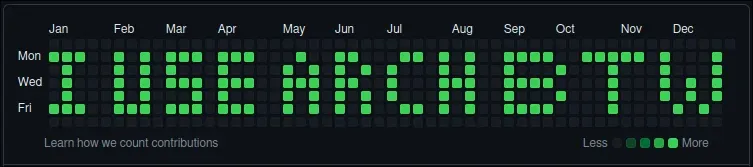
Clicking squares one by one is fine for a small emoji, but slow for a word. In September 2026 I came back to GitArt and added a text box. Type a word and it’s drawn on the graph with a tiny 3×5 pixel font. You can then fix any square by hand.
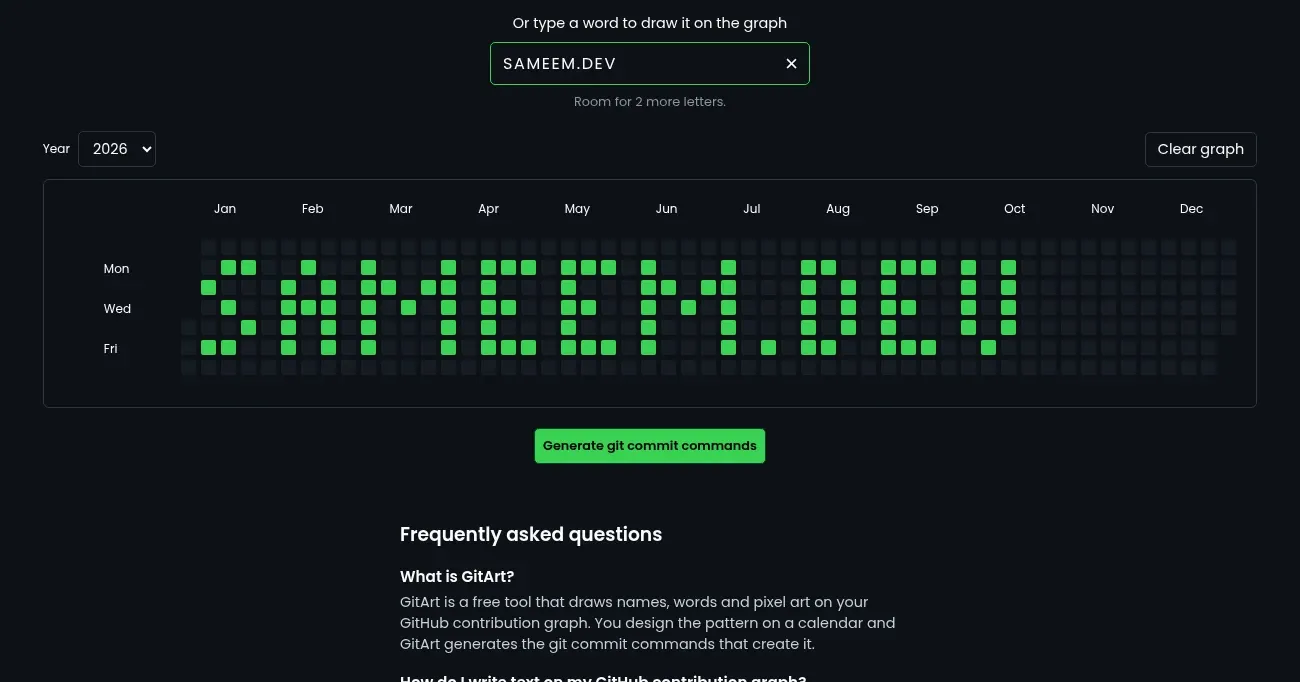
The graph has room for about a dozen letters, so the page tells you how many you have left, and your text stays put when you switch years.
The same update also:
- Fixed dates landing one day off for people outside positive UTC time zones.
- Made the squares and buttons keyboard accessible.
- Moved the examples to their own page.
- Split the one big script into small ES modules, still with no build step.
Fonts, and a Font Editor
A 3×5 font is readable, but it’s only one look. In October 2026 I made the font something you can choose. Each font is now a small JSON file, and the main page has a searchable font picker that lists every font as “name by author”. Next to the original Classic there’s a new Tall font that uses all 7 rows of the graph.
Then I wanted people to make their own, so I built a Font Editor page. You pick a character, draw it on a grid of graph squares, and save it. Each letter can have its own width, a font can be 1 to 7 rows tall, and a live preview draws your text in the new font as you go. You can start from scratch or remix an existing font.
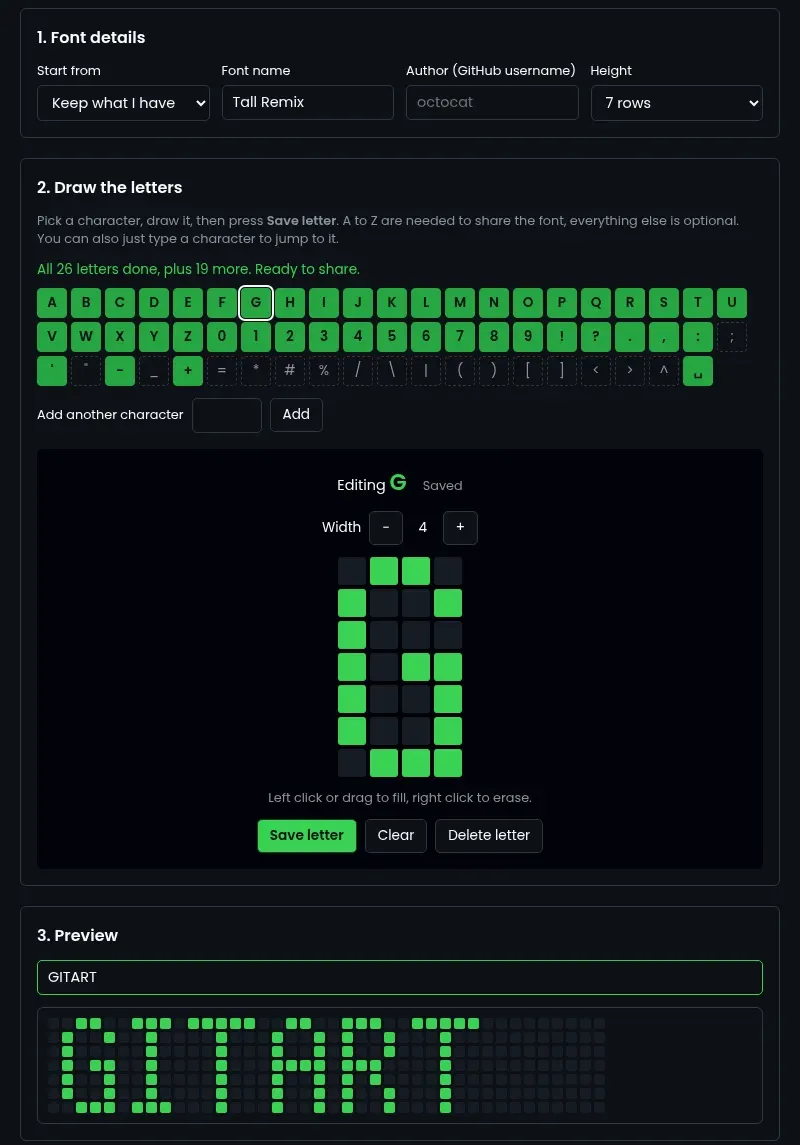
Once it’s done, you can:
- Save it to your fonts and use it on the graph right away.
- Export it as a file, or import one back in.
- Share it on GitHub so everyone can pick it.
Sharing was the part I thought about most. I wanted anyone to be able to add a font to the repo without knowing git. The editor checks the font first (A to Z drawn, a real GitHub username, a name that isn’t taken), then walks you through forking GitArt and opens GitHub’s new-file page with your font already filled in. From there it’s a couple of clicks to a pull request, all on the GitHub website. There’s no login to GitArt and still no backend.
On the repo side, two small GitHub Actions do the rest. One checks every font in a pull request. The other updates the list of fonts after a merge, so a contributor only ever adds one file. I tested the whole flow on a throwaway repo before merging, and it caught one real problem: GitHub’s own “Fork this repository” button failed from the new-file page, so the editor now sends you to fork first.
Small things that make it nicer to use
After the fonts, I went over the whole site to make it feel better in the hand:
- Drag to paint. A square now changes the moment you press it, and with a mouse or pen you can hold and drag to paint a whole row at once. On a phone it stays tap-only, so you can still scroll the graph sideways.
- Undo clear. Clear graph turns into Undo clear for 5 seconds, bringing back both the squares and the typed text. As soon as you paint or type something new, it goes back to Clear graph, so undo can never throw away new work.
- No more popups. Pressing Generate on an empty graph used to show a browser alert. Now a short message appears under the button and goes away once you fill a square.
- Polish. Buttons give a little press feedback, the font list and the share dialog open and close smoothly instead of snapping, and every button shows a focus ring when you move around with the keyboard. If you have “reduce motion” turned on, things fade instead of moving, and text now follows your browser’s font size.
Timeline
- Apr 2024: first version, with the clickable graph, year picker and generated commands, and the logo.
- May 2024: GitHub Actions API, and moved to
gitart.pages.dev. - Jun 2024: download the commands as a shell script.
- Sep 2026: text input, bug fixes, accessibility and a code cleanup.
- Oct 2026: font picker, the Tall font, the Font Editor and sharing fonts on GitHub, then drag to paint, undo clear and a round of polish.